One Long Ramble Later, robconery.com Is Live
A complete course for developers who are serious about making AI part of how they actually work.
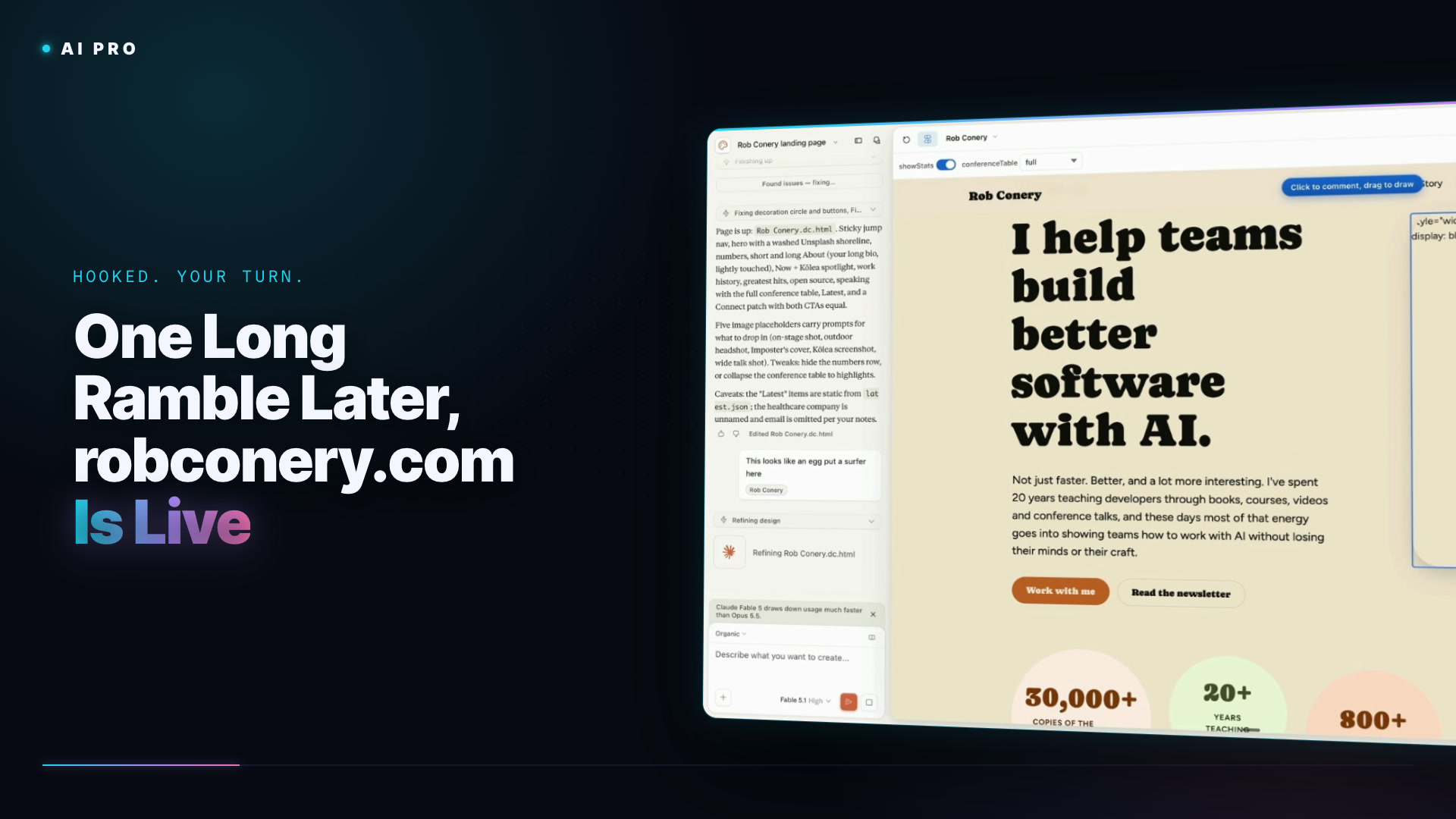
I'm not a designer, but I want the page that carries my name to look good, and now that costs an afternoon instead of a contract. The tool is Claude Design, which lives inside Claude and as a standalone site, and it does mobile apps, slides, documents, wireframes and design systems. I ignore most of that: blank landing page, the pre-baked Organic design system (make your own under Design Systems, because the built-in ones will be recognizable everywhere soon), Fable 5.1 so it thinks hard about the copy, and my local me directory attached as the code base. That folder holds the interview from lesson one and everything we've made since.
The prompt is the same ramble you've seen me do all module. Yours will differ, because your markdown differs:
I need a landing page that is kind of like a link-in-bio, if you will, a place that people click through from LinkedIn, or maybe Twitter, to read more about me and what I do. I'm going to put this up at my main site, robconery.com. Use the attached directory to find out what you need. The markdown files have all my information, all my history. I want this to be as complete as possible. And I also want to make sure that there is a short about me and then a long form about me. But it should only be a single page. As far as graphics go, use what you can from Unsplash. Also add some SVGs just to make it look nice. And then put in some placeholders if you want to add pictures of me, perhaps speaking, or other things. And then give me a prompt in that placeholder for what I should add.
Claude Design comes back with questions before it builds, and they're good ones: which sections (work history, books, open source, AI consulting, speaking, latest newsletter and video, socials), whether to use my long bio verbatim, the primary call to action (newsletter sign-up and work with me, both), an abstract hero, links instead of a visible email, sticky jump links for the nav. If you've used Lovable the surface will feel familiar, and Lovable is still a fine option if you'd rather pay a few dollars a month and have them host it. The first page is content-complete and has a sticky header, plus an egg-shaped ocean blob. I draw a comment on it ("this looks like an egg, put a surfer here"), Claude fixes it, and then I spend a little while dragging in real pictures, Kōlea and me, and tweaking the timeline until it's something I'd put my name on.
The handoff is the part that would have cost me an hour a few years ago. I ask Claude Design to package the page for download (sometimes you get a Next.js project, this time plain HTML), drop the zip into the me directory, and hand the whole thing to Claude Code. I have gh and Cloudflare's CLI installed, so DNS is just another tool it can call:
There is a zip file in the directory here that I created with Claude Design, and I want it pushed to GitHub. I want to create a GitHub Pages repo that is going to serve my main site, my landing site, robconery.com. I also need the DNS pointed to GitHub, and you have access to Cloudflare, so I need you to do that work as well. So set up everything I need, make the landing page at GitHub, make sure everything works, and then make it ready to go, so I can have it hosted, robconery.com at GitHub in a Pages repo. Tell me if there's a problem.
A few minutes later robconery.com is live, headshot and all (it's real, and I look a bit like a real estate agent, and I'll probably swap it). That's the whole module in one line: an interview became a skill, the skill became a GitHub profile, the profile became a site, and each step leaned on the one before it. I hope you played along and ended up with something groovy.
A complete course for developers who are serious about making AI part of how they actually work.